Archive

Archive for the ‘Web’ Category

Howto implement MySQL’s OLD_PASSWORD() in Java

July 23rd, 2010 makii No comments

Like most Software Engineers I don’t have the luxury to start with an greenfield strategy. Most times we know a good and viable solution to a problem, but cannot implement it due to restrictions which come with legacy systems and stuff out of our control.

Recently I had to migrate Newsletter subscribers to a newly created subscription system which uses an Oracle Database (I would have preferred PostgreSQL) rather than a MySQL, as the old system does.

Programmers are lazy, and as expected the developers of the old system used the OLD_PASSWORD(str) function from the database available to hash the password entered by the user. This is a very convenient way to protect the users’ login credentials, but rather bad when migrating to another system which has different or none implementations of this functionality. So what do we do? The options are:

  • Send every user a new password. Bad, we don’t want to harass them with our technical issues.
  • Force them to set a new password when they log in the next time. See above
  • Try to find a solution to validate the password against the old password hash.

As MySQL is widely used and a lot of data migration happens to and from, someone must have been run in this issue already, and most likely there is a solution to this problem in the net. And there is. I found a reimplementation of the OLD_PASSWORD() function in C# at yourhelpcenter.de (attention, german) and together with my coworker Maurice we ported it to Java, resulting in this piece of code:

public static String mysqlOldPassword(byte[] password) {
        int[] result = new int[2];
        int nr = 1345345333;
        int add = 7;
        int nr2 = 0x12345671;
        int tmp;

        int i;
        for (i = 0; i < password.length; i++) {
            if (password[i] == ' ' || password[i] == '\t')
                continue;

            tmp = (int) password[i];
            nr ^= (((nr & 63) + add) * tmp) + (nr << 8);
            nr2 += (nr2 << 8) ^ nr;
            add += tmp;
        }

        result[0] = nr & ((1 << 31) - 1);
        int val = ((1 << 31) - 1);
        result[1] = nr2 & val;
        String hash = String.format("%08x%08x",result[0],result[1]);
        return hash.toLowerCase();
    }

I give no guarantee this will work in all cases. My IDE complains all over the place about possible integer overflows. The usage of Integer.toHexString()did not work either, as the resulting String is not padded up with zeroes.

Finally, some Unit Tests for the interested user:

    @Test
    public void testOldPassword() throws Exception {
        final String expected = "0414ac6137ee1adc";
        byte[] bytes = "fooo".getBytes("UTF8");
        String foo = mysqlOldPassword(bytes);
        assertEquals(expected, foo);
    }

    @Test
    public void testOldPassword2() throws Exception {
        final String expected = "3fa0dce62ba931b5";
        byte[] bytes = "hastewas".getBytes("UTF8");
        String foo = mysqlOldPassword(bytes);
        assertEquals(expected, foo);
    }

Have fun with it!

Categories: Java, Technology, Web Tags: , , , ,

The iPad – OMFG!!! The iPad!!!

May 1st, 2010 makii No comments

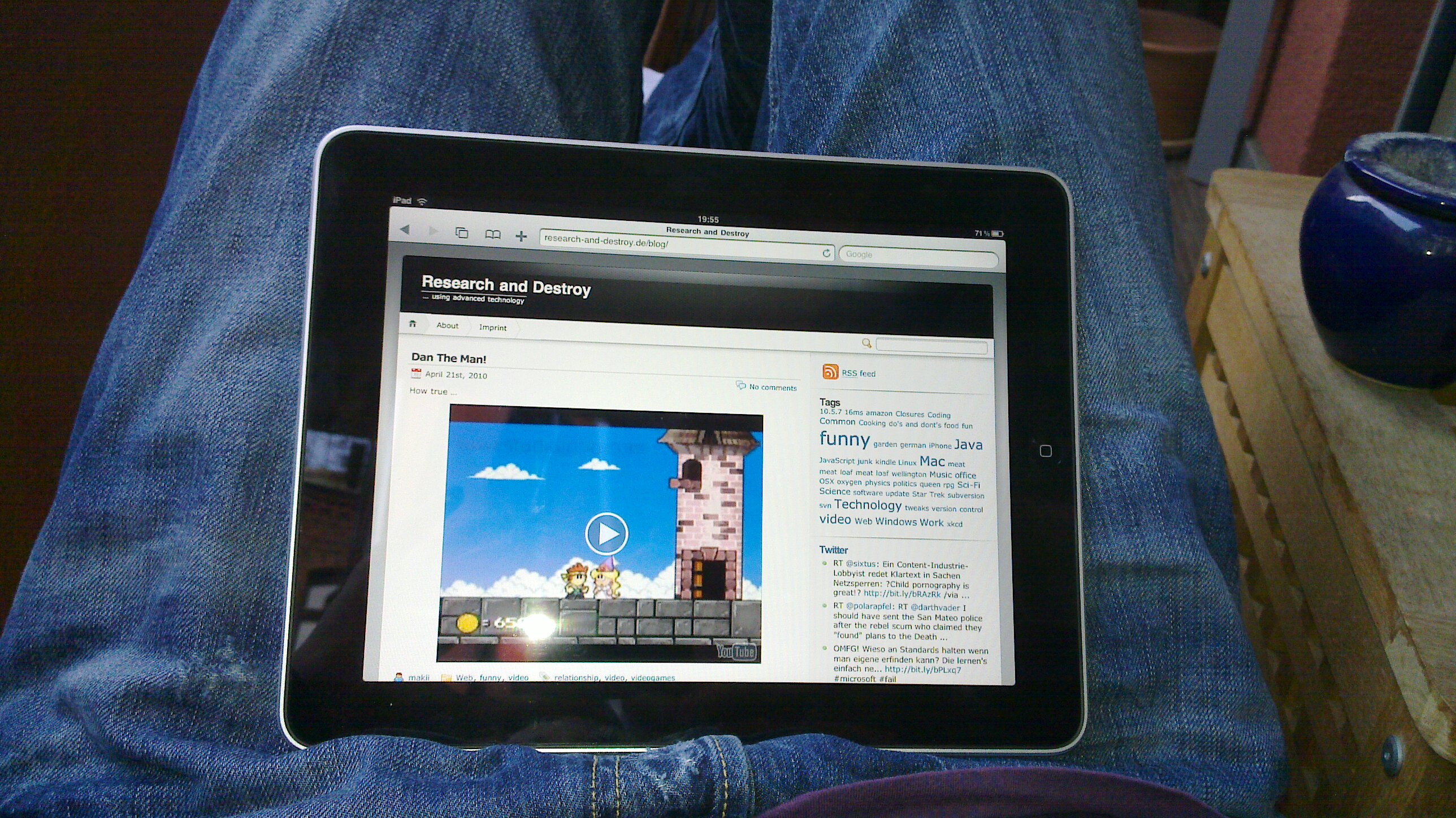
Ok, jeder schreibt und bloggt über dieses komische iPad, das irgendwie alles können soll, oder auch irgendwie nicht. Und jetzt bietet sich mir die verführerische Gelegenheit dieses Ding mal auszuprobieren. Dann kann man ja auch Mal ein paar Absätze drüber schreiben, oder? Also dann:
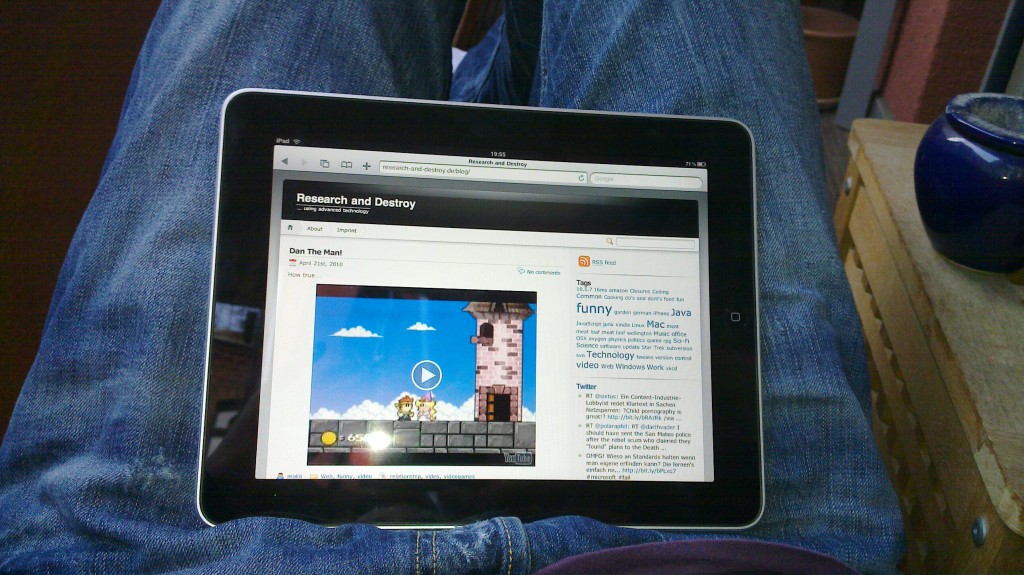
Als aller erstes fällt mir auf dass der Safari auf dem iPad es nicht hinbekommt den WYSIWYG-Editor von meinem Blog hier richtig darzustellen. Das ist natürlich ziemlich doof wenn man bloggen will, und man nicht einmal den Fokus auf das Eingabefeld setzen kann… Und die Eingabe im Code-Modus ist genau so schlimm, denn man muss zwischen drei Modi der On-Screen-Tastatur hin- und herspringen um nur ein blödes Paragraph-Element zu öffnen oder zu schließen. Ebenso komisch ist es Umlaute zu tippen: hierzu muss man einfach länger auf dem a bleiben, um ein ä (oder andere Abwandlungen davon) zu bekommen. Für iPhone User ist das natürlich Usus und perfekt, die waren noch nie was anderes gewohnt. Fazit: Die Tastatur ist soweit nicht schlecht, aber effizient mit 10 Fingern erfordert Übung. Zumindest mehr als man an einem Abend rumspielen schafft. Auch wenn die Tastatur auf dem Bildschirm in etwa so breit wie die eines Laptops ist, der Winkel ist meiner Meinung alles andere als bequem und ich kann mir nur mit viel Fantasie vorstellen mit dem Gerät auf dem Schoß lange Emails zu tipppen.

So, nach zwei Absätzen der Pein bin ich jetzt wieder auf die gewohnte Tastatur meines Laptops umgestiegen. Nach den zwei Absätzen auf dem iPad hat sich doch eine gewissen Routine eingestellt. Ich konnte schon halbwegs blind tippen und sogar Umlaute gingen relativ intuitiv. Ebenso das Positionieren des Cursors im Text, wenn man sich vertippt hatte, sowie Copy & Paste. Auch wenn das alles schön und gut ist, und mit längerer Verwendung die Eingabe noch flüssiger geht: die fehlenden Umlaute auf der Tastatur (was natürlich dem Format geschuldet ist) stören den Fluss bei der Eingabe doch erheblich, und der ständige Modi-Wechsel für Ziffern oder Sonderzeichen ebenso. Soviel mal zur Texteingabe.

Mit dem mitgelieferten Safari hatte ich auch meinen Spaß. Wie weiter oben schon erwähnt weigert er sich den WordPress-WYSIWYG Editor benutzbar darzustellen. Selbiges sind mir mit einigen weiteren AJAX-Webseiten aufgefallen. So war es mir unmöglich den Google Reader zu steuern, sowohl in der Mobil- als auch in der Full-Fledged Variante. Auch wenn es solche Anwendungen sicher gute Programme für das iPad gibt sollte ein Browser doch zumindest reine HTML5+AJAX Funktionalitäten unterstützen, was Apple ja in seiner öffentlichen Diskussion mit Adobe bezüglich der Unterstützung von Flash auf Apples mobilem Betriebssystem ja als unterstützenswerte Standards angibt. Apple mutiert was sowas angeht tatsächlich zu einem kleinen Goliath.

Die restlichen Navigation ist Apple-typisch absolut intuitiv. Des öfteren habe ich mich über kurze Auswahl-Seiten wie z.B. im iTunes Laden gewundert, um dann festzustellen dass man da auch nach unten scrollen kann. Der Scrollbar (oder eine “Positionsanzeige”) wird beim Scrollen (und nur dann!) über dem Inhalt dargestellt. Diese Darstellung kenne ich auch von meinem N900, jedoch wird dort beim Laden der Seite im Browser der Balken immer eingeblendet, wird dann ausgeblendet, aber beim Scrollen auch wieder Sichtbar. Gut, das ist nicht wirklich wichtig, ich bin dieser Unzulänglichkeit aber auf den Leim gegangen.

What the iPad really is!

So, mal von der Eingabe weg zur Hardware. Unabhängig davon ist das ganze schon ein sehr beeindruckendes Gerät. Absolut sexy Format. Es fühlt sich, ohne jetzt in den Apple-Fanboy-Talk verfallen zu wollen, einfach alles Richtig an. Auch wenn es prinzipiell nur vier aneinander-geklebte iPhones sind…

Mein Fazit ist demnach: Alles in allem ist das iPad ein typisches Apple Gerät: Hard- und Software sind qualitativ hochwertig, es fühlt sich gut an und erfüllt seinen Zweck. Wie die meisten anderen Apple-Produkte unterliegt das Gerät und die Software natürlich den Apple-Typischen Restriktionen: Nur Software aus dem App-Store von Apple, den Dock-Connector als einzige, proprietäre Schnittstelle. Hiermit haben sich die Apple-Fan-Boys/-Girls ja schon abgefunden. Das heisst: Wenn man ein kleines Surf-Brett für den Balkon oder das Bett, oder ein kleines Gerät für die tägliche Arbeiten wie Mails checken oder kleinere Dokumente schreiben haben will, und natürlich zum Zocken, kann sich die Anschaffung ernsthaft überlegen. Ich bin noch unentschlossen ob ich sowas brauche.

Categories: Mac, Technology, Web Tags: , , ,

Dan The Man!

April 21st, 2010 makii No comments

How true …

Categories: Web, funny, video Tags: , ,

Browser Compatibility Fail

September 12th, 2009 makii No comments

I’m known to be a big fan of last.fm. Though I’m no subscriber I found a lot of new bands I did not know before.

The more interested I was when I found out about steereo.de, a new and somewhat similar service comming from germany. They, integrated a nice player bar at the bottom of their page, and over all it’s a pretty funky page. Not, as tidy as last.fm, but it will work.

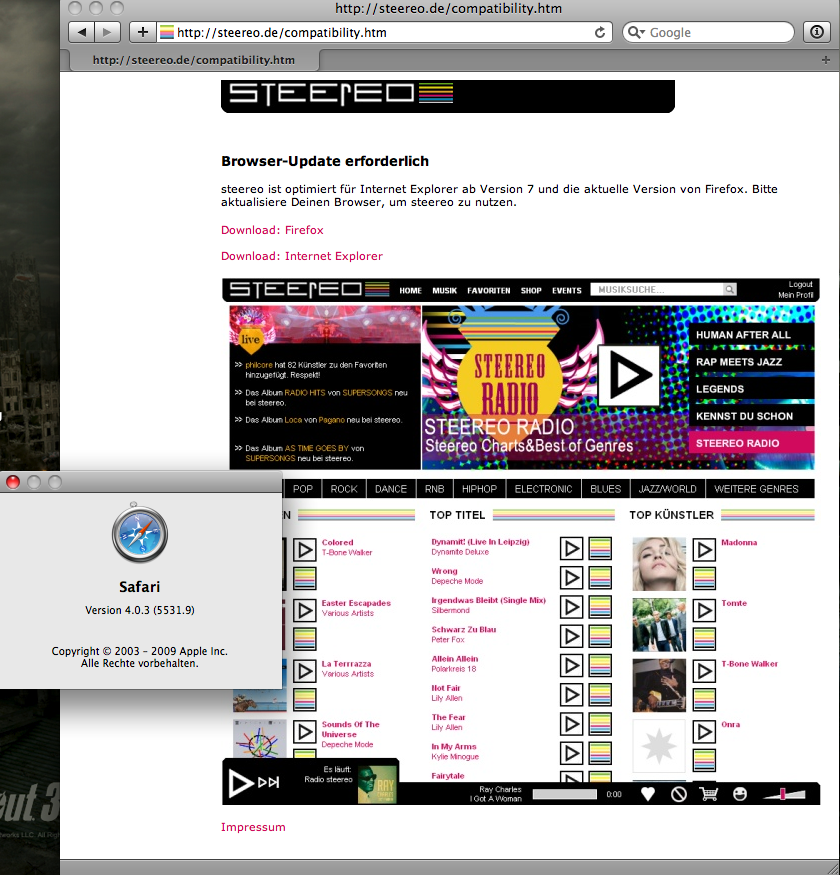
The most interesting part of this all is: They didn’t want to let me on their page. I think I use a pretty recent browser for my day-to-day portion of web surfing, but not as new as they want me to:

Steereo JS Browser compatibility check.

As it seems, they just support recent versions IE + FF, but no Safari. I thought we’ve passed this to implement major browser-dependend tweaks in our pages. As it seems I was wrong.

Copyright 2.0

July 8th, 2009 makii No comments

Everyone knows about the recent conviction of the Piratebay-crew. Even if we have to see whether, or how long, it will last. (You know, the probably biased judge…)

At least this trial might make some of us think about copyright and such things. There is a hudge discrepancy between what the crowd does and what the IP organizations want us to do. Once more I think Lawrence Lessig brings it to the point best:

In the analog times you had to buy book, a newspaper or a disk to gain access to the story or the song. So, making copies of books or songs was actually hard work back then. Nowadays, creating copies of digital content is easy peasy. In fact, everytime you view a digital content from the web, you actually get a copy.

Bug they will never understand…

Via Techdirt.

Categories: Technology, Web, video Tags: , , ,

Visualization

June 9th, 2009 makii No comments

Recently I found the pretty cool package logstalgia on Debian Times. It is a nice way to visualize access logs of your favorite http daemon as a pong game, every bullet being a single request, listed by client. You can also get into pause mode and view details to the single requests. But see for yourself:

Awesome, somehow. Isn’t it?

Now, Facebook went one step further by displaying all activities in the facebook network on a globe, distinguishing events by colors, and stuff. The project is named Palantir, like the crystal ball from LOTR which Saruman used as means of communication with Sauron. See the demo video. Most astonishing: Palantir is implemented using JavaME!

This all looks pretty neat. Facebook users mentioned that Google has something similar to visualize searches for years, and even my old employer CortalConsors visualized all trades with volume and location in the lobby for about 2-3 years! But still, the Facebook Palantir awesome!

Categories: Linux, Web, video Tags:

The way

December 16th, 2008 makii No comments

I just found some interesting slides from the AJAX in Action conference. IMO this is where we need to go:

There are more interesting slides on these topics here at uxebu.com.

Categories: Coding, Technology, Web, Work Tags:

How real this statement is!

December 11th, 2008 makii No comments

The Big Three!

Thanks, Jens.

Categories: Web Tags:

Fake MacBooks in circulation

November 28th, 2008 makii No comments

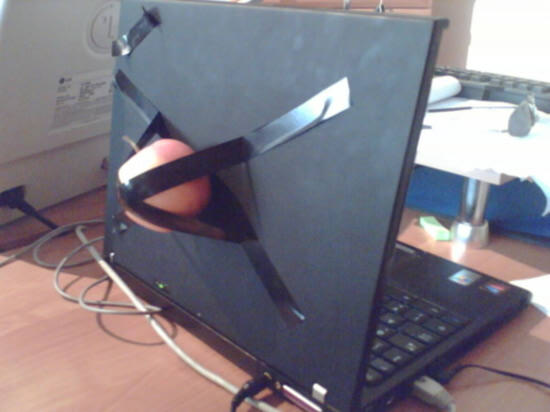
Some weeks ago Apple introduces its latest line of laptop-computers. There are already fakes around. The first sign could be the apple on the lit: some fakes don’t have the bite in the fruit. Others are better and you will know the difference only by checking all ports on the computer.

Fake MacBook without bite.

Fake MacBook with bite.

Via MacLife, domanske.de and Apfeltalk.

Categories: Mac, Web, funny Tags: , ,

Klingons in Software Development

July 2nd, 2008 makii No comments

Some Klingon software developers were overheard

Categories: Technology, Web, funny Tags: